
Home › Blog › How to Resize an Image for Instagram Without Cropping It
How to Resize an Image for Instagram Without Cropping It
Instagram feed photos survive whole only between 1.91:1 and 3:4, so a taller phone photo gets cropped. The fix is padding: place the whole photo on a 1080 by 1350 (4:5) canvas and post that. You took the perfect photo, posted it, and Instagram cut off the top of someone’s head — that is not random, it is the shape band at work.
Step by step: resize an image for Instagram without cropping it
- Find your photo’s ratio. Divide width by height. A phone photo of 1080 by 1920 gives 1080 ÷ 1920 = 0.5625, which is the 9:16 shape.
- Compare it with Instagram’s band. Feed photos survive whole only from 1.91:1 (1.91 wide) down to 3:4 (0.75 tall). A ratio below 0.75 is too tall and will be cropped; a ratio above 1.91 is too wide and will be cropped.
- If it fits, post it as-is. A 1080 by 1350 photo (ratio 0.8) and a 1080 by 1080 photo (ratio 1.0) both sit inside the band. Use Instagram’s full-frame option when uploading so it does not re-crop.
- If it is too tall, pad it. Put the whole photo on a 1080 by 1350 canvas and fill the empty sides with a blurred copy of the photo or a solid color. Nothing is cut; the photo simply gains side bars.
- Export at 1080 pixels wide. Instagram stores feed images at 1080 wide, so exporting at that width avoids an extra round of recompression.
- Keep the subject central. Your profile grid previews posts at 3:4, so a 4:5 post loses a little at the sides in the grid view. Faces and text near the centre survive both views.
Example with real numbers: a 9:16 phone photo to 4:5
Your photo is 1080 by 1920 pixels. You want a 4:5 post, which is 1080 by 1350 pixels. Keeping the full height of 1920, the width a 4:5 frame needs is 1920 × 4 ÷ 5 = 1536 pixels. Your photo is only 1080 wide, so the padding needed is 1536 − 1080 = 456 pixels, or 228 pixels on each side. The padded image is 1536 by 1920, which is exactly 4:5, and scaling it down to 1080 by 1350 for upload changes nothing about the framing. For a 3:4 frame instead: needed width = 1920 × 3 ÷ 4 = 1440 pixels, padding = 1440 − 1080 = 360 pixels, or 180 on each side. Same photo, same method, two different frames.
Instagram sizes that matter in 2026
| Format | Size in pixels | Ratio | Use it for |
|---|---|---|---|
| Portrait feed post | 1080 × 1350 | 4:5 | The default feed post; fills the most screen |
| Tall feed post | 1080 × 1440 | 3:4 | The tallest feed shape Instagram keeps whole when posting from the app (schedulers cap at 4:5) |
| Square feed post | 1080 × 1080 | 1:1 | Product shots and graphics where nothing may be cut |
| Landscape feed post | 1080 × 566 | 1.91:1 | The widest feed shape; uses the least screen space |
| Stories and Reels | 1080 × 1920 | 9:16 | Full-screen vertical only; never a feed size |
One rule ties the table together: the first image of a carousel sets the ratio for every slide after it. If slide one is 4:5, every slide is shown at 4:5, so pad all slides to the same ratio before you post.
Try it now: pad a photo for Instagram
Pick a photo, pick the Instagram shape, pick the background for the padding. Download the padded photo and post it — nothing is cropped, and your photo never leaves your device.
If your photo already fits the chosen shape, the padding is tiny or zero and the tool simply exports it at 1080 wide. For an exact file size instead of an exact shape, use our resize image to KB tool.
Limits: what padding cannot do
Padding adds side bars — that is the price of keeping the whole photo. On a very tall screenshot the bars are wide and the photo looks small in the feed; for those, cropping to 3:4 or posting as a Reel may look better. Instagram still recompresses uploads, so a padded photo can look slightly softer than the original, and the grid preview at 3:4 still trims the sides of a 4:5 post. Padding solves cropping; it does not beat compression or the grid preview. And posting through a scheduler caps feed photos at 4:5, so a 3:4 photo may still be cropped there — post tall photos from the Instagram app itself.
Frequently asked questions
Why does Instagram crop my photo?
Feed photos only survive whole between the ratios 1.91:1 and 3:4. A photo taller than 3:4, like a 9:16 phone photo, is cropped to fit. Padding the photo to 4:5 or 3:4 before uploading keeps the whole frame.
Can I post a full 9:16 photo to the Instagram feed?
No. 9:16 is the Stories and Reels shape, not a feed shape. In the feed the tallest whole shape is 3:4 (1080 by 1440). Pad a 9:16 photo to 3:4 or 4:5 for the feed, or post it as a Reel.
What size should Instagram Stories be?
1080 by 1920 pixels at 9:16. Keep faces and text away from the top and bottom edges, where the interface overlays sit.
Related free tools
Resizing on iPhone first? See how to resize a photo on iPhone, and start at our free tools hub for every image tool in one place.
Post the whole photo
Pad it with the tool above, post it, and check the grid preview. If the subject sits central, it survives both the feed and the grid — no more cut-off heads.
🛍️ Visit our main shop: VeloSparkDigital on Etsy
انسٹاگرام کے لیے تصویر کا سائز کیسے بدلیں بغیر کاٹے
پہلے تصویر کا تناسب نکالیں: چوڑائی کو اونچائی سے تقسیم کریں۔ اگر تناسب 0.75 سے کم ہے تو تصویر بہت لمبی ہے اور کاٹی جائے گی۔ اس صفحے کا ٹول تصویر کو پیڈ کر کے ڈاؤن لوڈ دیتا ہے، بغیر اپ لوڈ کیے۔
More free tools: free-tools hub.
Frequently asked questions
انسٹاگرام میری تصویر کیوں کاٹتا ہے؟
فیڈ کی تصاویر صرف 1.91:1 سے 3:4 تک پوری رہتی ہیں۔ 9:16 جیسی لمبی تصویر کاٹ دی جاتی ہے۔ اپ لوڈ سے پہلے اسے 4:5 یا 3:4 پر پیڈ کریں۔
کیا 9:16 تصویر فیڈ میں پوری پوسٹ ہو سکتی ہے؟
نہیں۔ 9:16 اسٹوریز اور ریلز کا سائز ہے۔ فیڈ میں سب سے لمبا پورا سائز 3:4 ہے۔
Instagram के लिए बिना काटे फ़ोटो का साइज़ कैसे बदलें
पहले फ़ोटो का अनुपात निकालें: चौड़ाई को ऊँचाई से भाग दें। अगर अनुपात 0.75 से कम है तो फ़ोटो बहुत लंबी है और काटी जाएगी। इस पेज का टूल फ़ोटो को पैड करके डाउनलोड देता है, बिना अपलोड किए।
More free tools: free-tools hub.
Frequently asked questions
Instagram मेरी फ़ोटो क्यों काटता है?
फ़ीड फ़ोटो सिर्फ़ 1.91:1 से 3:4 तक पूरी रहती हैं। 9:16 जैसी लंबी फ़ोटो काट दी जाती है। अपलोड से पहले उसे 4:5 या 3:4 पर पैड करें।
क्या 9:16 फ़ोटो फ़ीड में पूरी पोस्ट हो सकती है?
नहीं। 9:16 स्टोरीज़ और रील्स का साइज़ है। फ़ीड में सबसे लंबा पूरा साइज़ 3:4 है।
Cómo cambiar el tamaño de una imagen para Instagram sin recortarla
Primero calcula la proporción de tu foto: divide el ancho entre el alto. Si es menor de 0,75, la foto es demasiado alta y se recortará. La herramienta de esta página rellena la foto y la descarga, sin subirla a ningún servidor.
More free tools: free-tools hub.
Frequently asked questions
¿Por qué Instagram recorta mi foto?
Las fotos del feed solo se mantienen completas entre 1,91:1 y 3:4. Una foto más alta, como una 9:16, se recorta. Rellénala a 4:5 o 3:4 antes de subirla.
¿Puedo publicar una foto 9:16 completa en el feed?
No. 9:16 es el formato de Stories y Reels. En el feed, la forma completa más alta es 3:4.
كيف تغير حجم صورة لإنستغرام دون قصها
أولا احسب نسبة صورتك: اقسم العرض على الارتفاع. إذا كانت أقل من 0.75 فالصورة أطول من اللازم وسيتم قصها. أداة هذه الصفحة تحشو الصورة وتنزلها دون رفعها إلى أي خادم.
More free tools: free-tools hub.
Frequently asked questions
لماذا يقص إنستغرام صورتي؟
صور الخلاصة تبقى كاملة فقط بين 1.91:1 و3:4. الصورة الأطول مثل 9:16 يتم قصها. احشها إلى 4:5 أو 3:4 قبل الرفع.
هل يمكن نشر صورة 9:16 كاملة في الخلاصة؟
لا. 9:16 هو شكل القصص والريلز. في الخلاصة أطول شكل كامل هو 3:4.
So passt du ein Bild für Instagram an, ohne es zu beschneiden
Berechne zuerst das Verhältnis deines Fotos: Breite geteilt durch Höhe. Liegt es unter 0,75, ist das Foto zu hoch und wird beschnitten. Das Tool auf dieser Seite füllt das Foto auf und lädt es herunter, ohne es irgendwo hochzuladen.
More free tools: free-tools hub.
Frequently asked questions
Warum beschneidet Instagram mein Foto?
Feed-Fotos bleiben nur zwischen 1,91:1 und 3:4 vollständig. Ein höheres Foto wie 9:16 wird beschnitten. Fülle es vor dem Hochladen auf 4:5 oder 3:4 auf.
Kann ich ein 9:16-Foto vollständig im Feed posten?
Nein. 9:16 ist das Stories- und Reels-Format. Im Feed ist die höchste vollständige Form 3:4.
Как изменить размер фото для Instagram без обрезки
Сначала вычислите соотношение фото: разделите ширину на высоту. Если оно меньше 0,75, фото слишком высокое и будет обрезано. Инструмент на этой странице добавит поля и скачает фото, никуда его не загружая.
More free tools: free-tools hub.
Frequently asked questions
Почему Instagram обрезает моё фото?
Фото ленты остаются полными только между 1,91:1 и 3:4. Более высокое фото, например 9:16, обрезается. Добавьте поля до 4:5 или 3:4 перед загрузкой.
Можно ли опубликовать фото 9:16 полностью в ленте?
Нет. 9:16 — формат Stories и Reels. В ленте самая высокая полная форма — 3:4.
© 2026 VeloSpark Digital · Practical guides, checked against official sources.
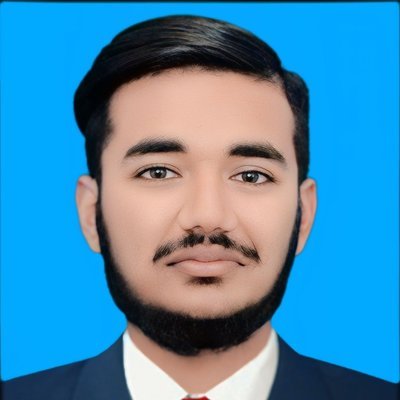
Written by Umar Hayat, founder of VeloSpark Digital and owner of Umar and Brothers (computers and mobile) in Toba Tek Singh, Punjab, Pakistan. He plans, builds and fact-checks every tool and guide on this site.
Related free tools: Background Remover · Image Compressor · Resize Image to KB · All free tools
Need an AI video ad, a logo or a design for your business? See our services.
Enjoying our free tools and guides? Add VeloSpark Digital as a preferred source on Google