
🎬 Google Flow Product Video Prompts: Create Stunning AI Product Videos (2026 Guide)
⚡ Quick Answer
Google Flow (powered by Google’s Veo model) turns a single product photo into a professional video ad using image-to-video prompts. Upload your product image, describe one camera move + scene + lighting style, and Flow generates the clip. The winning formula: reference image → one clear action → camera language → lighting style → output format. This guide gives you the complete prompt system used by professional AI video creators in 2026.
What Is Google Flow?
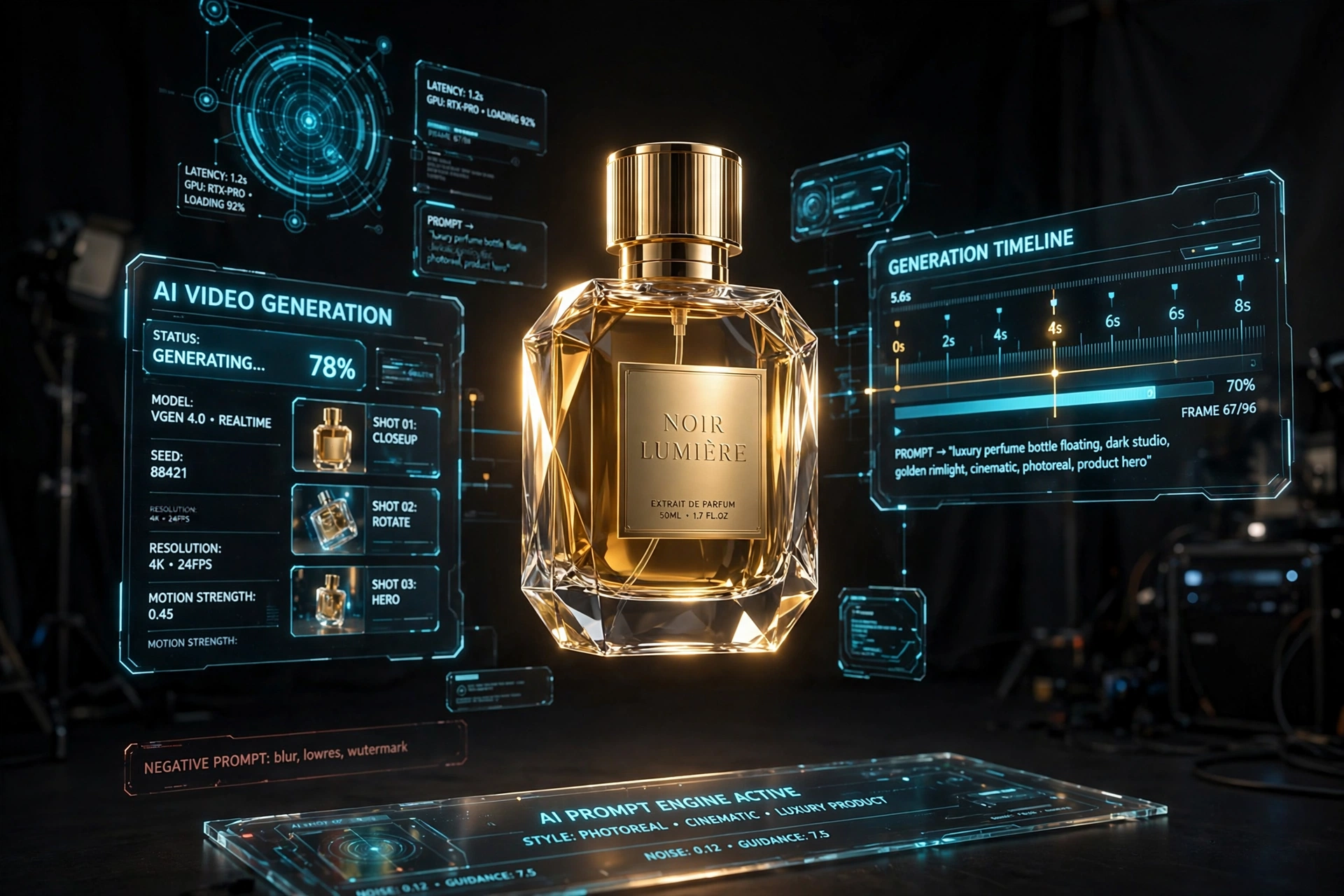
Google Flow is Google’s AI filmmaking platform built on the Veo video model. Unlike basic text-to-video tools, Flow’s killer feature is image-to-video: you upload a real photo of your product, and the AI animates it — orbiting around it, pushing in for macro detail, placing it in lifestyle scenes — while keeping your product’s shape, colors, and logo intact.
For businesses, this is revolutionary. A product video ad that once cost thousands of dollars and a film crew can now be generated from a single smartphone photo in minutes.
The 5-Part Prompt Formula
Every great product video prompt has the same five building blocks. Master this formula and you’ll get consistent, professional results:
Camera Moves That Sell Products
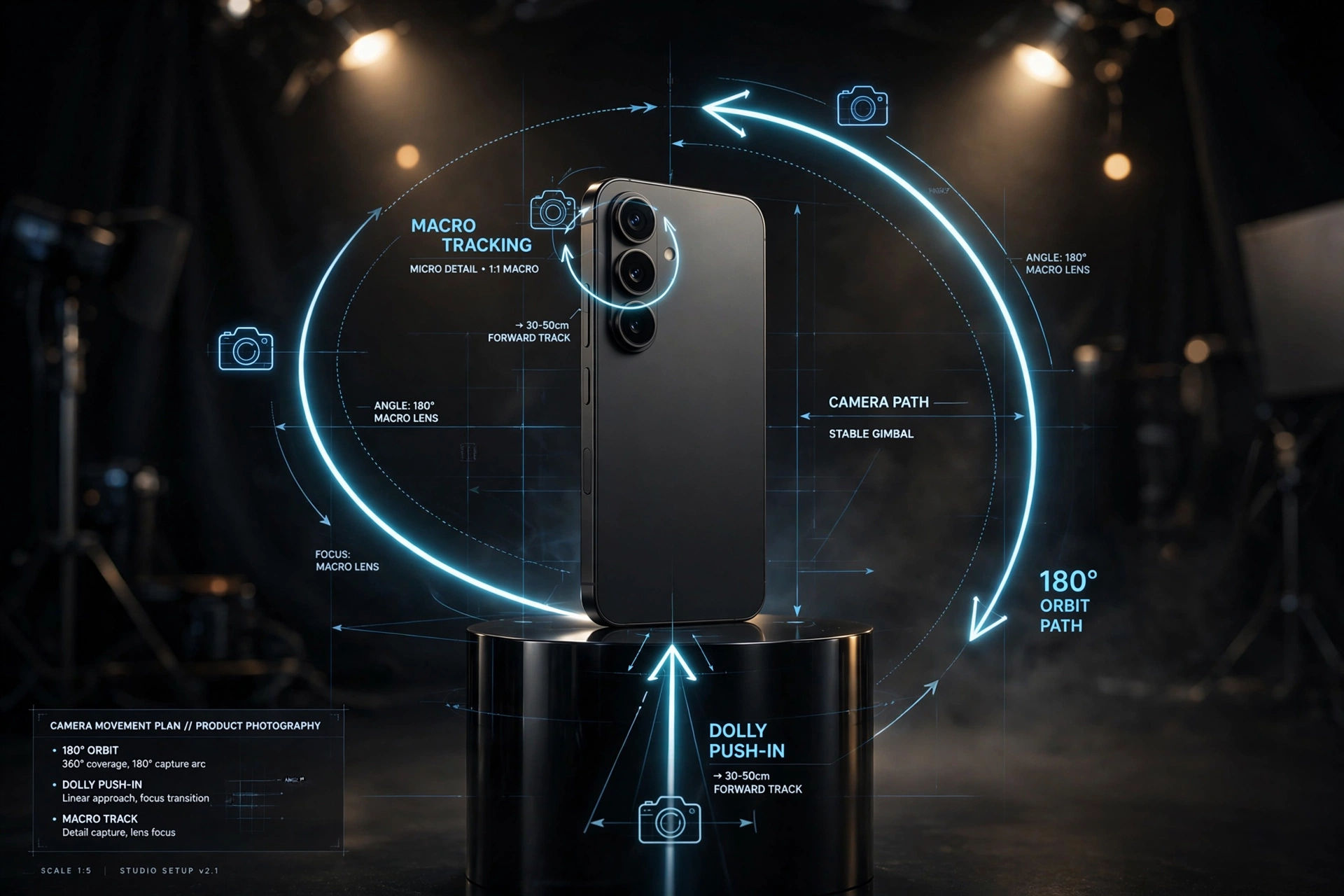
The camera move is the single most important part of your prompt. Here are the moves professional creators use most:
- Slow push-in — camera drifts toward the product; builds anticipation, perfect for hero shots
- 180° orbit — circles halfway around the product; shows form and dimension
- Macro track — slides along a texture, edge, or label; sells quality and craftsmanship
- Low-angle rise — camera starts low and rises; makes products feel bold and premium
- Top-down — clean overhead shot; ideal for flat-lay style food, cosmetics, and accessories
- Locked camera — camera doesn’t move, only the product/scene animates; best for pour shots, steam, splashes
Lighting & Style: The Mood Makers
Lighting determines whether your video looks like a budget ad or a premium commercial:
- Soft studio — premium reflections, controlled highlights; the default for electronics & gadgets
- Natural window light — realistic, trustworthy; great for skincare, food, home products
- Dark luxury — black background, precise rim lighting; watches, perfumes, premium brands
- Raw phone look — casual, authentic, slightly imperfect; converts best for TikTok/Reels UGC-style ads
- Sunset rim light — warm glow separating product from background; emotional, cinematic
Product Categories: Ready Prompt Recipes
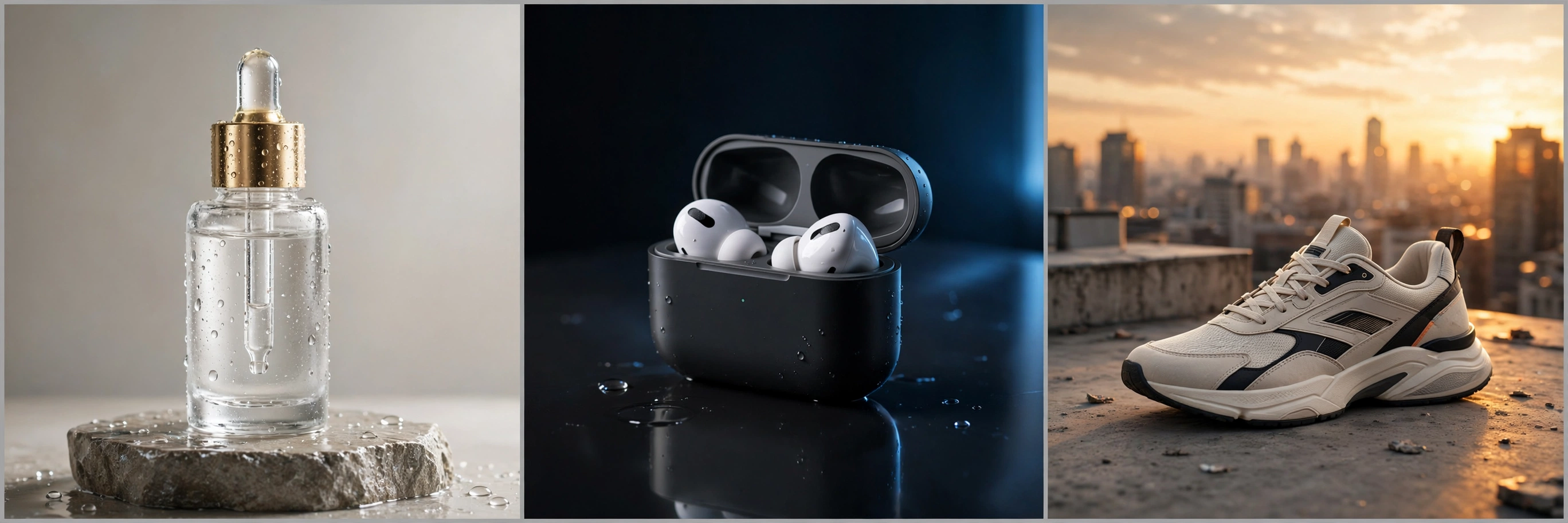
Skincare Serum
Wireless Earbuds
Sneakers
X-Ray & Technical Views
For tech products, exploded views (components separating in an orderly layout) and cutaway shots (seeing inside layers) create that premium “how it works” feel. Treat these as illustrative — the AI imagines internals, so don’t present them as engineering-accurate unless you’ve verified the details.
5 Mistakes That Ruin AI Product Videos
- Too many actions in one prompt — keep it to one camera move + one product action
- Forgetting preservation instructions — always say “preserve logo, colors, proportions exactly”
- Asking the AI to render text — AI still garbles text; add titles in your editor afterwards
- Ignoring aspect ratio — vertical 9:16 for Reels/TikTok/Shorts, wide 16:9 for YouTube/website
- Skipping the end frame — end on a stable, clean hero shot with space for your logo/CTA
From Clips to Complete Ad: The Workflow
- Generate 3–5 clips — hero shot, macro detail, lifestyle scene, end card
- Edit together — CapCut, Premiere, or even YouTube’s editor; keep total under 30 seconds
- Add sound — matching SFX (pour, click, whoosh) + subtle music bed
- Add text/CTA — product name, price, “Shop Now” — in the editor, not the AI prompt
- Export vertical — 9:16 for maximum reach on Reels, TikTok, and Shorts
People Also Ask
Is Google Flow free?
Flow offers free generation credits with usage limits; paid tiers unlock more generations and higher quality.
What’s the difference between Flow and Veo?
Veo is the AI video model; Flow is Google’s creative platform built around it, with scene building and asset management.
Can AI video replace real product shoots?
For social ads and e-commerce, AI video now handles 80% of use cases. High-end brand films still benefit from real cinematography — smart brands use both.
How long should a product video ad be?
8–15 seconds for social feeds (Reels/TikTok), 20–30 seconds for YouTube pre-roll or website heroes.
Frequently Asked Questions
What is Google Flow?
Google Flow is Google’s AI video generation platform powered by the Veo model. It creates videos from text prompts or reference images (image-to-video), with controls for camera movement, aspect ratio, and duration.
Can I make product videos with AI for free?
Yes. Google Flow offers free generation credits, and the key is a good reference image plus a well-structured prompt following the 5-part formula in this guide.
What makes a good image-to-video prompt?
Five parts: (1) reference your uploaded product image, (2) one clear camera move or action, (3) scene description, (4) lighting/style, (5) output format. One main action per clip.
How do I keep my product logo from distorting?
Explicitly instruct the model to preserve logo, colors, and proportions. Avoid extreme motion, and add text overlays in a video editor afterwards.
گوگل فلو پروڈکٹ ویڈیو پرامپٹس: شاندار AI پروڈکٹ ویڈیوز بنائیں (2026 گائیڈ)
فوری جواب
گوگل فلو (Veo ماڈل) آپ کی ایک پروڈکٹ تصویر کو پروفیشنل ویڈیو اشتہار میں بدل دیتا ہے۔ تصویر اپلوڈ کریں، ایک کیمرہ موومنٹ + سین + لائٹنگ بتائیں، اور فلو کلپ بنا دے گا۔ کامیاب فارمولا: تصویر → ایک واضح ایکشن → کیمرہ زبان → لائٹنگ اسٹائل → آؤٹ پٹ فارمیٹ۔
Turn These Prompts Into Finished Assets
Flow makes the clips; these free tools finish the job: clean up product shots with the Background Remover, generate stills and key frames with the AI Image Generator, or have the whole ad made for you through our AI video ad service.
گوگل فلو کیا ہے؟
گوگل فلو گوگل کا AI ویڈیو پلیٹ فارم ہے جو Veo ماڈل پر چلتا ہے۔ اس کی خاص بات امیج ٹو ویڈیو ہے: اپنی پروڈکٹ کی اصل تصویر اپلوڈ کریں، AI اسے متحرک کر دے گا — گھمائے گا، زوم کرے گا، لائف اسٹائل سین میں رکھے گا — جبکہ شکل، رنگ اور لوگو بالکل درست رہیں گے۔
5 حصوں والا پرامپٹ فارمولا
کیمرہ موومنٹس جو فروخت بڑھائیں
- آہستہ پش اِن — پروڈکٹ کی طرف بڑھنا، ہیرو شاٹس کے لیے بہترین
- 180° آربٹ — پروڈکٹ کے گرد گھومنا
- میکرو ٹریک — بناوٹ پر توجہ، معیار دکھاتا ہے
- لاکڈ کیمرہ — کیمرہ ساکن، صرف پروڈکٹ متحرک
عام غلطیاں
- ایک پرامپٹ میں بہت سے ایکشن
- لوگو محفوظ رکھنے کی ہدایت بھول جانا
- AI سے ٹیکسٹ لکھوانا (بگڑ جاتا ہے — ایڈیٹر میں شامل کریں)
- غلط اسپیکٹ ریشو
Google Flow Product Video Prompts: शानदार AI Product Videos बनाएं (2026 Guide)
त्वरित उत्तर
Google Flow (Veo मॉडल द्वारा संचालित) आपकी एक product photo को professional video ad में बदल देता है। Image upload करें, एक camera move + scene + lighting बताएं। सफल formula: image → एक clear action → camera language → lighting style → output format।
Google Flow क्या है?
Google Flow Google का AI video platform है जो Veo model पर चलता है। इसकी खासियत image-to-video है: product की असली photo upload करें, AI उसे animate कर देगा — घुमाएगा, zoom करेगा — जबकि shape, रंग और logo बिल्कुल सही रहेंगे।
5-Part Prompt Formula
Camera Moves
- Slow push-in — hero shots के लिए best
- 180° orbit — product के चारों ओर
- Macro track — quality दिखाता है
Prompts de Video de Producto en Google Flow: Crea Videos Impresionantes con IA (Guía 2026)
Respuesta rápida
Google Flow (con el modelo Veo) convierte una foto de producto en un anuncio de video profesional. Sube tu imagen, describe un movimiento de cámara + escena + iluminación. La fórmula: imagen → una acción clara → lenguaje de cámara → estilo de iluminación → formato.
¿Qué es Google Flow?
Google Flow es la plataforma de video IA de Google basada en el modelo Veo. Su función estrella es imagen-a-video: subes una foto real de tu producto y la IA la anima, manteniendo forma, colores y logotipo intactos.
La fórmula de 5 partes
موجهات فيديو المنتجات في Google Flow: أنشئ فيديوهات مذهلة بالذكاء الاصطناعي (دليل 2026)
إجابة سريعة
Google Flow (بنموذج Veo) يحوّل صورة منتج واحدة إلى إعلان فيديو احترافي. ارفع صورتك، وصف حركة كاميرا واحدة + مشهد + إضاءة. المعادلة: صورة → إجراء واضح → لغة الكاميرا → أسلوب الإضاءة → التنسيق.
ما هو Google Flow؟
Google Flow هو منصة Google لتوليد الفيديو بالذكاء الاصطناعي المبنية على نموذج Veo. ميزته الأقوى هي صورة-إلى-فيديو: ارفع صورة حقيقية لمنتجك وسيقوم الذكاء الاصطناعي بتحريكها مع الحفاظ على الشكل والألوان والشعار.
Google Flow Produktvideo-Prompts: Erstelle beeindruckende KI-Produktvideos (Guide 2026)
Kurzantwort
Google Flow (mit dem Veo-Modell) verwandelt ein Produktfoto in eine professionelle Videoanzeige. Lade dein Bild hoch, beschreibe eine Kamerabewegung + Szene + Lichtstil. Die Formel: Bild → eine klare Aktion → Kamerasprache → Lichtstil → Format.
Was ist Google Flow?
Google Flow ist Googles KI-Videoplattform auf Basis des Veo-Modells. Das Highlight ist Bild-zu-Video: Lade ein echtes Produktfoto hoch und die KI animiert es — bei exakter Erhaltung von Form, Farben und Logo.
Промпты для продуктовых видео в Google Flow: создавайте потрясающие ИИ-видео (Гайд 2026)
Краткий ответ
Google Flow (на модели Veo) превращает одно фото товара в профессиональный видеорекламный ролик. Загрузите изображение, опишите одно движение камеры + сцену + освещение. Формула: изображение → одно чёткое действие → язык камеры → стиль света → формат.
Что такое Google Flow?
Google Flow — платформа Google для генерации видео на модели Veo. Главная функция — изображение-в-видео: загрузите реальное фото товара, и ИИ анимирует его, точно сохраняя форму, цвета и логотип.
By Umar Hayat — VeloSpark Digital · Published October 19, 2026
How this guide was made: We checked the facts against official and primary sources. AI tools assisted the writing, with human fact-checking and review. Last updated October 23, 2026.

Written by Umar Hayat, founder of VeloSpark Digital and owner of Umar and Brothers (computers and mobile) in Toba Tek Singh, Punjab, Pakistan. He plans, builds and fact-checks every tool and guide on this site.
Related free tools: Background Remover · Image Upscaler · Resize Image to KB · All free tools
Need an AI video ad, a logo or a design for your business? See our services.
Enjoying our free tools and guides? Add VeloSpark Digital as a preferred source on Google