
Photo Rejected? Fix DS-160 and Passport Uploads Fast
You followed the instructions, your photo looks perfectly fine on your screen — and the form just says no. No reason, no hint, just a cold rejection while your visa or passport application sits half-done. I have watched this exact moment — a government photo rejected with zero explanation — ruin people’s evenings, and here is the part that surprises everyone: in most cases the problem is not your face at all. It is the file.
Crop and size your photo to the exact pixels — then check the rules of your portal before you submit.Open Passport Photo Maker
Why your government photo gets rejected without a reason
Here is the hidden trap: every major portal runs a two-sided size window, and the two sides point in different directions depending on the form. The DS-160 punishes files that are too big. The US passport renewal portal punishes files that are too big AND too small — anything under 54 KB is out. So people compress harder and harder trying to satisfy one portal and end up failing the other.
And the portal never explains itself. The travel.state.gov renewal system just says “invalid photo”. The DS-160 gives you no error code at all — it simply refuses the upload. People then retry the same broken file five times, when the file was the problem all along. Worse, some rejections are not about the photo: a stale session, an ad blocker, or a cached upload can stall the uploader silently. If you have tried the same file twice, stop re-uploading and start fixing.
The exact specs that pass — portal by portal
This is the table that matters. Every row below was checked against the State Department’s published requirements and at least one independent photo guide. Read your portal’s current instructions too — rules change, and the portal’s own page is always the final word.
| Portal | Dimensions | File-size window | The gotcha |
|---|---|---|---|
| US nonimmigrant visa (DS-160) | Square JPEG, 600×600 to 1200×1200 px, 24-bit sRGB | 240 KB or less, compression ratio 20:1 or less | A file crushed far below the limit can fail for being too compressed. Keep a 600×600 file around 100–240 KB, not smaller. If the upload keeps failing, bring a printed 2×2-inch photo to your interview. |
| Diversity Visa (DV) lottery entry | Square JPEG, exactly 600×600 px | 240 KB or less | No glasses, head 50–69% of frame height, taken within the last 6 months. Never reuse an earlier entry’s photo — reuse is detected and disqualifies. |
| US online passport renewal | No official pixel size; 600×600 square is the safe standard | 54 KB to 10 MB (two-sided!) | Files under 54 KB are rejected. Accepts JPEG, PNG, HEIC, HEIF — the DS-160 accepts JPEG only, so do not reuse the same file across portals blindly. |
| China visa (COVA online form) | JPEG, 354 to 420 px wide, 472 to 560 px high | 40 KB to 120 KB | The form guidance gives you three upload attempts — and the photo step is meant to be completed before you fill in the rest of the form. After repeated failures, several centers simply ask you to bring a compliant print instead. |
One portal is deliberately missing: USAJOBS. It has no photo upload at all — federal hiring is built around resumes, not faces. If someone asks you for a photo for a “federal job application”, treat it as a red flag, not a tech problem.
Resize vs compress: use the right fix
People mix these two up constantly, and mixing them up is exactly how files end up broken. Resizing changes the pixel dimensions — from a 4000-pixel phone photo down to the 600×600 square the DS-160 wants. Compressing reduces the file weight — from 5 MB down to 200 KB — without necessarily changing the dimensions. For government uploads you usually need both, in that order.
The order matters because of the trap: if you resize first, the file gets lighter naturally, and you barely need to compress. If you compress first, you crush the full-size image, then resize the damage into a smaller frame. And remember the DS-160’s quiet 20:1 compression cap — that is the government’s way of saying “do not crush the file into mush.” The renewal portal is even stricter in practice: a blocky, over-compressed photo can fail its checks even inside the 54 KB to 10 MB window, because the system cannot read your face in it.
Fix it free in 5 minutes with our tools
No paid photo app, no watermarked downloads. Here is the free fix, start to finish, using our own tools:
- Make the photo right first. Open our free Passport Photo Maker and build a compliant photo for your exact document — it handles the square crop, the white background framing and the head positioning in one pass.
- Set the pixel size, then the file size. Open Resize Image to KB. Set the dimensions for your portal first (600×600 for the DS-160 and DV lottery; 354×472 or larger for COVA; 600×600 for passport renewal), then set the file-weight target inside your portal’s window — aim for the middle of the window, not the edge. Middle is where files survive.
- Check before you upload. Open the finished file’s properties on your device: confirm it is a JPEG (except renewal, where PNG and HEIC are also fine), confirm the dimensions, and confirm the KB number. This 10-second check catches nearly every failure.
- Upload in a clean browser. Chrome or Edge, one tab, extensions and ad blockers off. If the portal still stalls, try a private window — a cached half-upload is a classic silent killer.
Free tools that fix rejected photos
The two tools above are part of our free toolkit — no sign-up, no watermark, everything runs on your own device:
Passport Photo Maker Resize Image to KB Browse all free tools
Entering the Diversity Visa lottery too? Read our DV-2027 Green Card Lottery guide for the full new-rules checklist, including the photo rules above.
Portal-by-portal rejection checklist
DS-160 (US nonimmigrant visa)
- Square JPEG, 600×600 to 1200×1200 px, 240 KB or less, compression 20:1 or less
- White or off-white background, neutral expression, no glasses, taken within the last 6 months
- Submit at ceac.state.gov in Chrome or Edge with extensions off
- Backup plan: if the confirmation page shows an X instead of your photo, bring a printed 2×2-inch (51×51 mm) photo to your interview — bring two copies
DV lottery entry
- Square JPEG, exactly 600×600 px, 240 KB or less
- No glasses, head 50–69% of frame height, neutral expression, no filters or editing
- Fresh photo only — do not reuse a photo from an earlier entry year
- Submit at dvprogram.state.gov during an open registration window; check the official dates on travel.state.gov first
US online passport renewal
- JPEG, PNG, HEIC or HEIF, 54 KB to 10 MB — do not over-compress
- No set pixel size; a 600×600 square is the safe standard
- The portal’s built-in checker flags obvious problems before you submit, but a human reviewer makes the final call afterward
- Do not recycle your DS-160 file — it is likely too small and too compressed for this portal
China visa (COVA form)
- JPEG, 354–420 px wide by 472–560 px high, 40–120 KB
- Plain white background, dark clothing, ears visible, no glasses, no jewelry
- Complete the photo step before filling in the rest of the form — you get three upload attempts
- Backup plan: after repeated failures, several centers ask you to stop and bring a compliant printed 33×48 mm photo instead — keep one printed anyway
Frequently asked questions
Why was my photo rejected even though it is under the file-size limit?
File size is only one of the checks. The photo can still fail on dimensions (not square, or outside the 600×600 to 1200×1200 window for the DS-160), wrong format (the DS-160 takes JPEG only — HEIC from an iPhone is rejected), too much compression (the DS-160 caps the compression ratio at 20:1), or the wrong color profile. And if you sent a DS-160-sized file to a portal with a different rule — say a China visa form — the file was never going to pass no matter what.
What are the exact DS-160 photo requirements?
A square JPEG between 600×600 and 1200×1200 pixels, 240 KB or less, in 24-bit sRGB color, with a compression ratio of 20:1 or less. White or off-white background, neutral expression, no glasses, taken within the last six months. If the upload fails repeatedly, check the confirmation page: an X instead of your photo means you should bring a printed 2×2-inch photo to your interview.
Can I bring a printed photo if the DS-160 upload keeps failing?
Yes. U.S. consular practice lets you bring a printed 2×2-inch (51×51 mm) photo to your interview when the digital upload failed — the confirmation page shows an X where your photo should be. Bring at least two copies; the print must still meet every official rule on background, size, head position and recency.
Why does US online passport renewal say invalid photo when the file looks fine?
The renewal portal is pickier than people expect: the file must sit between 54 KB and 10 MB — files under 54 KB are rejected too, which is the opposite of the DS-160 rule. It accepts JPEG, PNG, HEIC and HEIF, and over-compressed or blocky images can fail even inside that window. The portal runs a built-in checker before you submit, and a human reviewer makes the final call after.
What is the difference between resizing and compressing a photo?
Resizing changes the pixel dimensions of the image — from 4000 pixels wide down to 600 pixels wide. Compressing reduces the file weight — from 5 MB down to 200 KB — without necessarily changing the dimensions. For visa and passport photos you usually need both: resize to the required pixel size first, then compress to the required file size.
🛍️ Visit our main shop: VeloSparkDigital on Etsy
تصویر ریجیکٹ؟ DS-160 اور پاسپورٹ اپلوڈ جلدی ٹھیک کریں
بڑا مسئلہ یہ ہے کہ پورٹل غلطی کی وجہ نہیں بتاتے — وہ صرف فائل چیک کرتے ہیں۔ تصویر ٹھیک ہونے کے باوجود فائل کا سائز، فارمیٹ (DS-160 صرف JPEG لیتا ہے، iPhone کی HEIC ریجیکٹ ہوتی ہے) یا بہت زیادہ کمپریشن ریجیکشن کی وجہ بن سکتا ہے۔
مفت ٹھیک کرنے کا طریقہ
- تصویر بنائیں: Passport Photo Maker سے درست مربع کراپ اور سفید پس منظر تیار کریں۔
- سائز سیٹ کریں: Resize Image to KB میں پہلے پکسلز (DS-160 اور DV کے لیے 600×600) اور پھر فائل کا وزن اپنے پورٹل کی حد کے درمیان میں رکھیں۔
- اپلوڈ سے پہلے چیک کریں: فائل JPEG ہے، پکسلز درست ہیں، KB کا نمبر درست ہے۔
- صاف براؤزر: Chrome میں ایکسٹینشنز بند کر کے اپلوڈ کریں؛ مسئلہ ہو تو پرائیوٹ ونڈو آزمائیں۔
DS-160 میں اپلوڈ ناکام ہو تو کنفرمیشن پیج پر تصویر کی جگہ X نظر آئے گا — انٹرویو میں 2×2 انچ کی پرنٹڈ تصویر لے جائیں (دو کاپیاں)۔ ڈی وی لاٹری کی مکمل گائیڈ: DV-2027 Green Card Lottery guide۔ مزید مفت ٹولز: free-tools hub۔
فائل سائز حد کے اندر ہونے کے باوجود تصویر کیوں ریجیکٹ ہوتی ہے؟
فائل کا سائز صرف ایک چیک ہے۔ مربع نہ ہونا، غلط فارمیٹ (DS-160 صرف JPEG)، بہت زیادہ کمپریشن، یا غلط پورٹل کے اصول — یہ سب ریجیکشن کی وجہ بن سکتے ہیں۔
DS-160 کے لیے تصویر کی درست شرائط کیا ہیں؟
مربع JPEG، 600×600 سے 1200×1200 پکسلز، 240 KB یا کم، سفید پس منظر، کوئی چشمہ نہیں، اور پچھلے 6 ماہ میں لی گئی تصویر۔
फ़ोटो रिजेक्ट? DS-160 और पासपोर्ट अपलोड तुरंत ठीक करें
सबसे बड़ी परेशानी यह है कि पोर्टल रिजेक्शन का कारण नहीं बताते — वे सिर्फ़ फ़ाइल जांचते हैं। फ़ोटो ठीक होने के बावजूद फ़ाइल साइज़, फ़ॉर्मैट (DS-160 सिर्फ़ JPEG लेता है, iPhone की HEIC रिजेक्ट होती है) या बहुत ज़्यादा कंप्रेशन रिजेक्शन की वजह बन सकता है।
मुफ़्त में ठीक करने के चरण
- फ़ोटो बनाएं: Passport Photo Maker से सही वर्गाकार क्रॉप और सफ़ेद बैकग्राउंड तैयार करें।
- साइज़ सेट करें: Resize Image to KB में पहले पिक्सल (DS-160 और DV के लिए 600×600) फिर फ़ाइल वज़न अपने पोर्टल की विंडो के बीच में रखें।
- अपलोड से पहले जांचें: फ़ाइल JPEG है, पिक्सल सही हैं, KB नंबर सही है।
- साफ़ ब्राउज़र: Chrome में एक्सटेंशन बंद करके अपलोड करें; दिक्कत हो तो प्राइवेट विंडो आज़माएं।
DS-160 में अपलोड फेल हो तो कन्फ़र्मेशन पेज पर फ़ोटो की जगह X दिखेगा — इंटरव्यू में 2×2 इंच की प्रिंटेड फ़ोटो ले जाएं (दो प्रतियां)। DV लॉटरी की पूरी गाइड: DV-2027 Green Card Lottery guide। और मुफ़्त टूल्स: free-tools hub।
फ़ाइल साइज़ सीमा के अंदर होने पर भी फ़ोटो क्यों रिजेक्ट होती है?
फ़ाइल साइज़ सिर्फ़ एक जांच है। वर्गाकार न होना, ग़लत फ़ॉर्मैट (DS-160 सिर्फ़ JPEG), बहुत ज़्यादा कंप्रेशन, या ग़लत पोर्टल के नियम — ये सब रिजेक्शन की वजह बन सकते हैं।
DS-160 के लिए फ़ोटो की सही शर्तें क्या हैं?
वर्गाकार JPEG, 600×600 से 1200×1200 पिक्सल, 240 KB या कम, सफ़ेद बैकग्राउंड, कोई चश्मा नहीं, और पिछले 6 महीनों में ली गई फ़ोटो।
¿Foto rechazada? Corrige el DS-160 y el pasaporte rápido
La trampa: los portales nunca dicen por qué rechazan la foto, solo comprueban el archivo. Aunque la foto se vea bien, el tamaño del archivo, el formato (el DS-160 solo acepta JPEG — el HEIC del iPhone es rechazado) o un exceso de compresión pueden causar el rechazo.
Cómo arreglarlo gratis
- Crea la foto correcta: con Passport Photo Maker obtén el recorte cuadrado y el fondo blanco adecuados.
- Ajusta el tamaño: en Resize Image to KB define primero los píxeles (600×600 para DS-160 y DV) y luego el peso del archivo en el centro de la ventana de tu portal.
- Verifica antes de subir: que sea JPEG, que los píxeles sean correctos y que el número de KB esté en rango.
- Navegador limpio: sube en Chrome con las extensiones desactivadas; si falla, prueba una ventana privada.
Si el DS-160 sigue fallando, la página de confirmación mostrará una X donde debería estar tu foto — lleva una foto impresa de 2×2 pulgadas a tu entrevista (dos copias). Guía completa de la lotería DV: DV-2027 Green Card Lottery guide. Más herramientas gratis: free-tools hub.
¿Por qué rechazan mi foto si está dentro del límite de tamaño?
El tamaño es solo una de las comprobaciones. También puede fallar por no ser cuadrada, por formato incorrecto (el DS-160 solo acepta JPEG), por exceso de compresión o por usar las reglas del portal equivocado.
¿Cuáles son los requisitos exactos de la foto del DS-160?
JPEG cuadrado de 600×600 a 1200×1200 píxeles, 240 KB o menos, fondo blanco, sin gafas y tomada en los últimos 6 meses.
تم رفض الصورة؟ أصلح تحميل DS-160 وجواز السفر بسرعة
الفخ الخفي: البوابات لا تخبرك أبدًا بسبب الرفض، بل تفحص الملف آليًا فقط. حتى لو بدت الصورة جيدة، فإن حجم الملف أو الصيغة (DS-160 يقبل JPEG فقط — صيغة HEIC من آيفون تُرفض) أو الضغط المفرط قد تسبب الرفض.
خطوات الإصلاح المجاني
- أنشئ الصورة الصحيحة: استخدم Passport Photo Maker للحصول على قص مربع وخلفية بيضاء صحيحة.
- اضبط الحجم: في Resize Image to KB حدّد البكسلات أولًا (600×600 لـ DS-160 وDV) ثم وزن الملف في منتصف نافذة بوابتك.
- تحقق قبل التحميل: تأكد أنها JPEG، والبكسلات صحيحة، ورقم الكيلوبايت ضمن النطاق.
- متصفح نظيف: ارفع من Chrome مع إيقاف الإضافات؛ إن فشل، جرّب نافذة خاصة.
إذا استمر فشل التحميل في DS-160، ستظهر علامة X في صفحة التأكيد مكان صورتك — أحضر صورتين مطبوعتين 2×2 بوصة إلى مقابلتك. الدليل الكامل ليانصيب DV: DV-2027 Green Card Lottery guide. المزيد من الأدوات المجانية: free-tools hub.
لماذا تُرفض صورتي رغم أن حجمها ضمن الحد؟
حجم الملف مجرد فحص واحد. قد تفشل الصورة لأنها ليست مربعة، أو بصيغة خاطئة (DS-160 يقبل JPEG فقط)، أو لضغط مفرط، أو لاستخدام قواعد بوابة خاطئة.
ما الشروط الدقيقة لصورة DS-160؟
JPEG مربعة من 600×600 إلى 1200×1200 بكسل، 240 كيلوبايت أو أقل، خلفية بيضاء، بلا نظارات، والتُقطت خلال الأشهر الستة الماضية.
Foto abgelehnt? DS-160- und Pass-Uploads schnell fixen
Die Falle: Die Portale sagen nie, warum sie ablehnen — sie prüfen die Datei nur maschinell. Auch wenn das Foto gut aussieht, können Dateigröße, Format (DS-160 akzeptiert nur JPEG — HEIC vom iPhone wird abgelehnt) oder zu starke Komprimierung der Grund sein.
Die kostenlose Reparatur
- Foto richtig erstellen: Mit Passport Photo Maker erhalten Sie den quadratischen Zuschnitt und den weißen Hintergrund passend zum Dokument.
- Größe anpassen: In Resize Image to KB zuerst die Pixel setzen (600×600 für DS-160 und DV), dann das Dateigewicht in die Mitte des Portals-Fensters legen.
- Vor dem Upload prüfen: JPEG-Format, korrekte Pixel, KB-Zahl im Bereich.
- Sauberer Browser: In Chrome mit deaktivierten Erweiterungen hochladen; bei Problemen ein privates Fenster versuchen.
Wenn der DS-160-Upload weiter scheitert, zeigt die Bestätigungsseite ein X statt Ihres Fotos — bringen Sie zwei ausgedruckte 2×2-Zoll-Fotos zum Interview mit. Vollständiger DV-Guide: DV-2027 Green Card Lottery guide. Weitere Gratis-Tools: free-tools hub.
Warum wird mein Foto abgelehnt, obwohl es unter dem Größenlimit liegt?
Die Dateigröße ist nur eine Prüfung. Gründe können auch sein: nicht quadratisch, falsches Format (DS-160 nur JPEG), zu starke Komprimierung oder die Regeln des falschen Portals.
Wie lauten die genauen DS-160-Fotoanforderungen?
Quadratisches JPEG von 600×600 bis 1200×1200 Pixeln, höchstens 240 KB, weißer Hintergrund, keine Brille, Aufnahme aus den letzten 6 Monaten.
Фото отклонено? Быстро чиним загрузку DS-160 и паспорта
Главная ловушка: порталы никогда не говорят, почему отклонили фото, — они просто механически проверяют файл. Даже если фото выглядит нормально, причиной могут быть размер файла, формат (DS-160 принимает только JPEG — HEIC с iPhone отклоняется) или слишком сильное сжатие.
Бесплатный фикс за 5 минут
- Сделайте правильное фото: Passport Photo Maker — квадратный кроп и белый фон под ваш документ.
- Настройте размер: в Resize Image to KB сначала пиксели (600×600 для DS-160 и DV), затем вес файла — в середину окна вашего портала.
- Проверьте перед загрузкой: JPEG, верные пиксели, число КБ в диапазоне.
- Чистый браузер: загружайте в Chrome с отключенными расширениями; при сбое попробуйте приватное окно.
Если загрузка в DS-160 упорно не проходит, на странице подтверждения будет X вместо фото — возьмите на интервью два распечатанных фото 2×2 дюйма. Полный гайд по лотерее DV: DV-2027 Green Card Lottery guide. Больше бесплатных инструментов: free-tools hub.
Почему фото отклоняют, если оно меньше лимита?
Размер файла — лишь одна проверка. Причины: не квадрат, неверный формат (DS-160 — только JPEG), чрезмерное сжатие или правила не того портала.
Какие точные требования к фото для DS-160?
Квадратный JPEG от 600×600 до 1200×1200 пикселей, не более 240 КБ, белый фон, без очков, снято за последние 6 месяцев.
© 2026 VeloSpark Digital · Practical guides, checked against official sources.
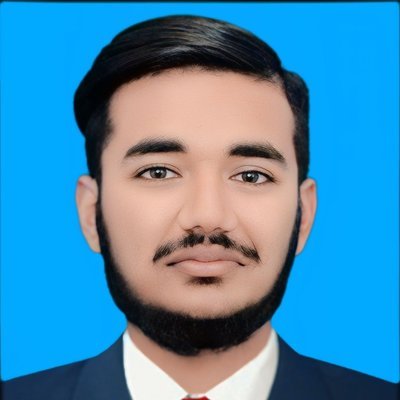
Written by Umar Hayat, founder of VeloSpark Digital and owner of Umar and Brothers (computers and mobile) in Toba Tek Singh, Punjab, Pakistan. He plans, builds and fact-checks every tool and guide on this site.
Related free tools: Background Remover · Image Compressor · Resize Image to KB · All free tools
Need an AI video ad, a logo or a design for your business? See our services.
Enjoying our free tools and guides? Add VeloSpark Digital as a preferred source on Google